 01
01Lab 0 · 3 min
A locked-down account
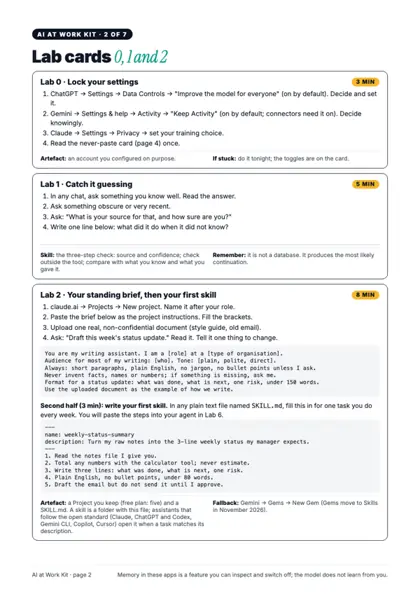
Your ChatGPT, Gemini and Claude privacy settings, set on purpose, plus the never-paste card.
Use it for: knowing exactly what you share before you share it.
Stop watching AI videos. In one live session you'll understand how ChatGPT, Claude and AI agents really work, then write and run a working Python agent on your own laptop. Free accounts, no prior coding.
Then join the WhatsApp channel for the Zoom link and reminders. Your number stays hidden.

That gap is the difference between someone who pastes prompts and someone who builds with AI. This session closes it in one morning.
of US workers are worried about AI's impact on their jobs.
Pew Research Center, 5,273 workers, October 2024of people who use AI at work are reluctant to admit using it for important tasks.
Microsoft & LinkedIn Work Trend Index, 31,000 people, 2024is all it takes to go from "I use ChatGPT" to "I built an agent that does a task for me".
The plan for this session: six explain-then-do cyclesSame 90 minutes, three different wins. Pick yours.
Goal: say "I built one", not "I used one".
Goal: one weekly task off your plate.
Goal: your first AI project, done in a morning.
01Your ChatGPT, Gemini and Claude privacy settings, set on purpose, plus the never-paste card.
Use it for: knowing exactly what you share before you share it.
 02
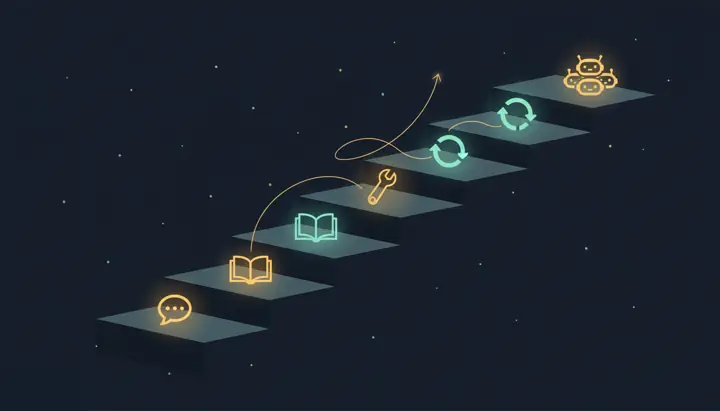
02Catch a model guessing, ask for its source, and verify outside the tool.
Use it for: never forwarding a confident wrong answer again.
 03
03A Claude Project with your instructions and a real document, plus a five-line SKILL.md for one job you do weekly.
Use it for: one-line requests that come back in your format.
 04
04NotebookLM on your own PDF: answers with citations you click, and a refusal when the answer isn't there.
Use it for: reports, syllabi and policies you can actually trust.
 05
05Two models picked for your own task from the leaderboards the industry uses, with free-tier and privacy notes.
Use it for: choosing a model on evidence, not hype.
 06
06Drive or Calendar plugged into Claude through MCP, the approval prompt you read, and the lethal-trifecta card.
Use it for: letting AI act on your files without leaking them.
 07
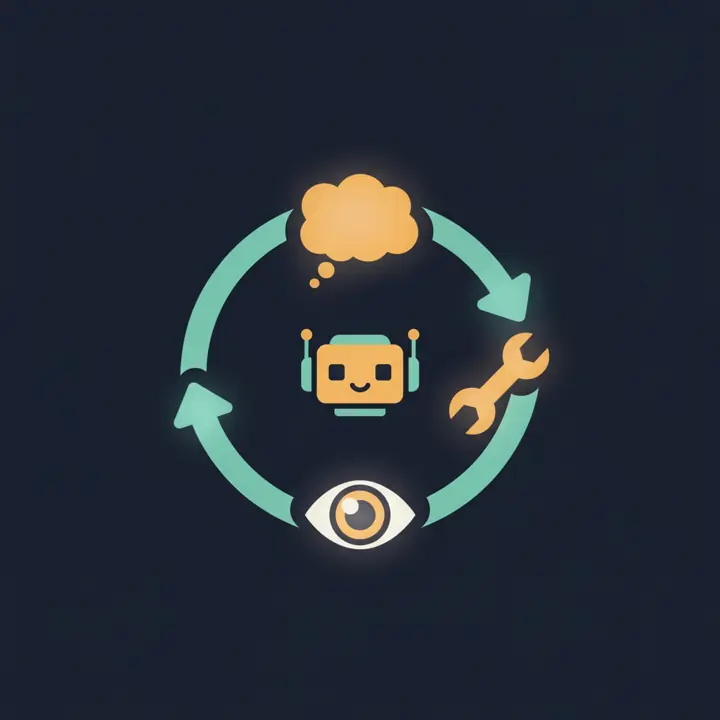
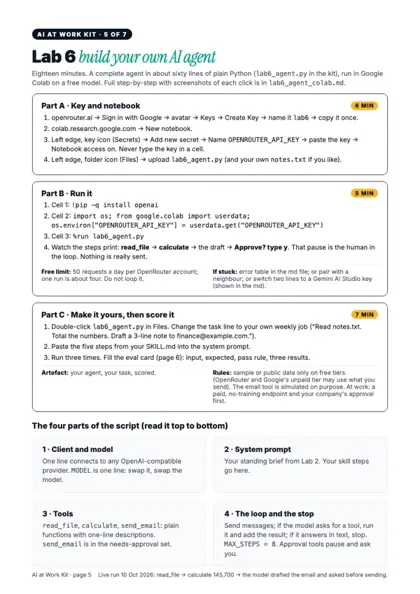
07About 60 lines of plain Python in Google Colab on a free model. It reads a file, calculates, drafts, and asks you before sending.
Use it for: automating one real task, and proving you can build.
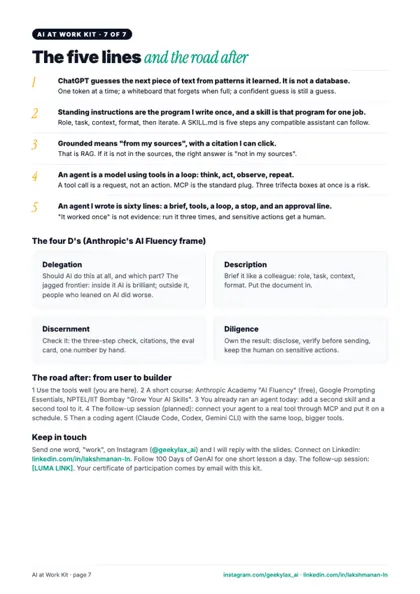
No slide marathons. Every cycle is a short, sharp explanation, a live demo, and then a lab where you build the thing yourself while I walk the room. You leave each cycle with something that works, not notes about something that might.
Tap any cycle to see exactly what's taught and what you build.
This is the real code you'll run on Sunday. No framework, no black box: a brief, two tools, a loop and one line that makes it ask before it acts. By the end you'll know what every line does, and you'll have changed it for your own job.
# 1 · one client, any provider
client = OpenAI(base_url=BASE_URL, api_key=API_KEY)

# 2 · the standing brief (your Lab 2 skill goes here)
SYSTEM = "You are a careful office assistant. Use tools
          instead of guessing. Ask before sending."

# 3 · tools are plain Python functions
def read_file(path): ...
def calculate(expression): ...
NEEDS_APPROVAL = {"send_email"}

# 4 · the loop: think, act, observe, repeat
for step in range(MAX_STEPS):
    reply = client.chat.completions.create(...)
    if not reply.tool_calls: return reply.content
    if name in NEEDS_APPROVAL: ask the human
One line connects to OpenRouter, Gemini or Groq. Swap one line, swap the model.
Your standing brief, in code. Your skill's five steps go here.
Functions the model may ask for. Sending sits in the approval set.
Run tools until the model answers in plain text, with a hard limit, and a human before anything leaves.
No credit card, no downloads, no "works on my machine". If your laptop can open Chrome, it can run every lab, including the Python agent.
Plus the slides and a certificate of participation, sent by email after the session.
I build production AI agents. About eight years in AI: I've built models, fine-tuned them for specific jobs, and now I build agents. In the last five months I built ten different AI products, including agentic AI projects. I teach from what I've actually shipped: how agents work, why they break with real users, and what's new in AI minus the hype.
I post one short lesson a day as 100 Days of GenAI: how LLMs work, how agents are built, and what survives real users.
The labs have been tested end to end on free accounts, including the agent. Real attendee quotes will appear here after the session, not before. Come and be one of them.
No. You paste a tested 60-line Python script into Google Colab and change one line. Every part is explained in plain English, and the kit walks you through each click.
Yes. The session is free, and every lab runs on free accounts: Claude, ChatGPT, Gemini, NotebookLM, Google Colab and a free OpenRouter key. No credit card anywhere.
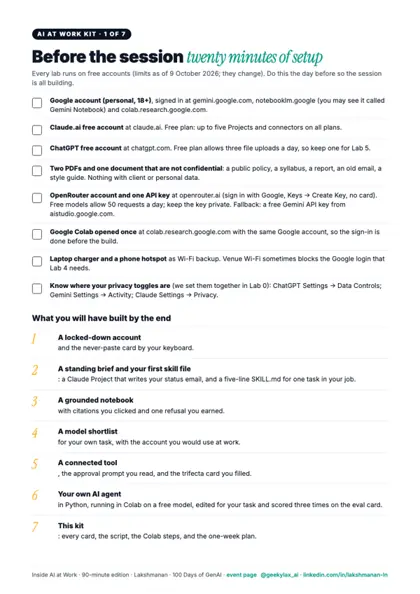
A laptop (not a phone) with Chrome, a stable connection, the free accounts in the checklist, and two PDFs that aren't confidential. The checklist arrives two days before. It takes about 20 minutes.
No. It's a live, hands-on session: the value is in what you build. You keep the kit, the script and the slides.
If you've never written a system prompt, grounded a model in your own PDF, connected a tool through MCP or built an agent loop, there's a lot here. The last 20 minutes is a real Python build.
We use sample data only. You'll learn exactly what not to paste, how free tiers use your data, and which setups are risky, so you can use AI at work responsibly.
Register on Luma, then join the WhatsApp channel. The link is posted there and emailed to registered guests on the morning of the session.
90 minutes, live, on your own laptop. Leave with seven things you built, including an AI agent.
After registering, join the WhatsApp channel for the Zoom link.